
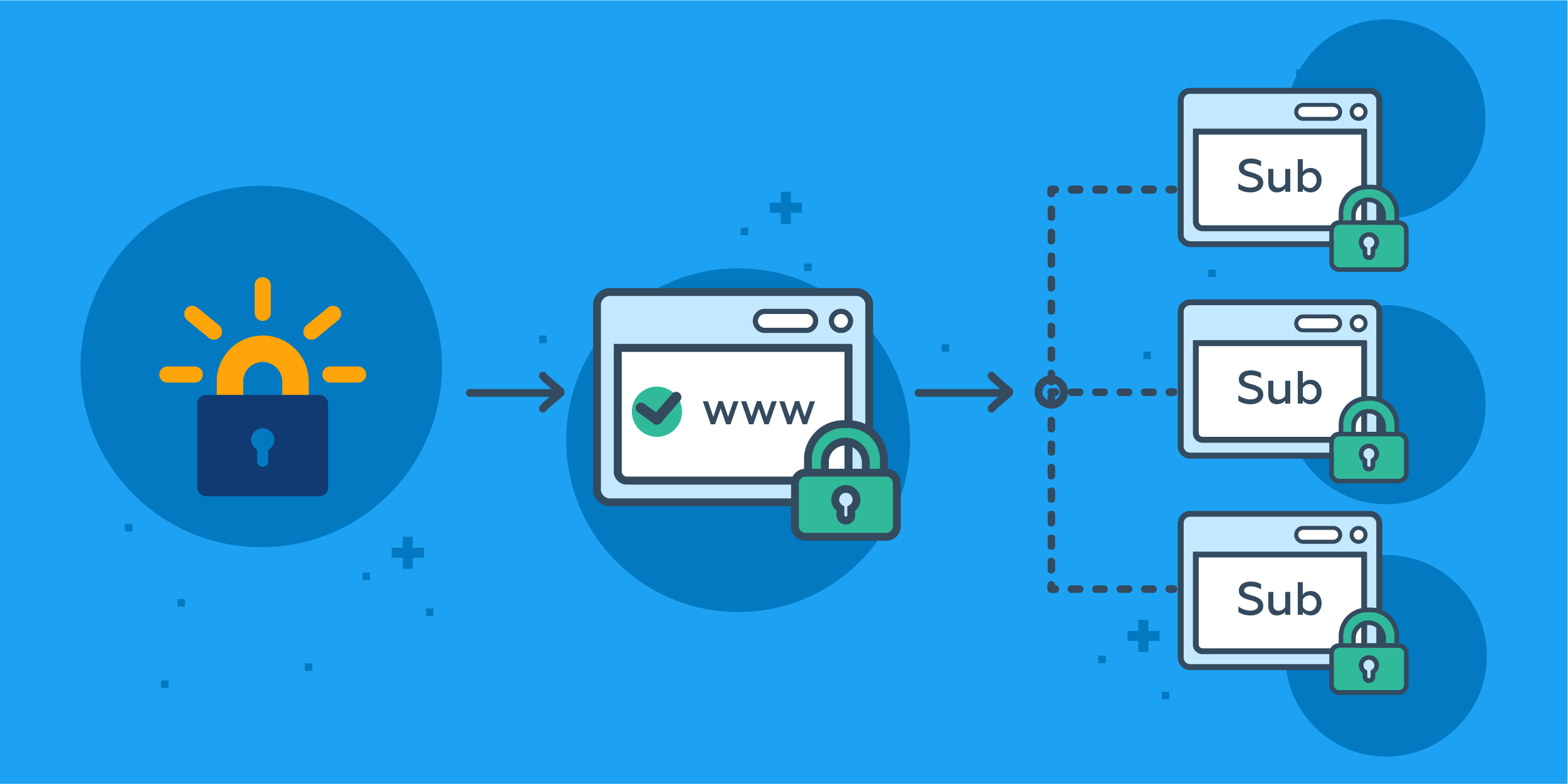
En versiones anteriores, no podía usar certificados Let's Encrypt gratuitos para proteger subdominios. Si no solo tenía "dominio.cu", sino también "forum.dominio.cu", tenía que emitir dos certificados. Ahora puede obtener solo un certificado de Comodín. ¡Y todavía es gratis!
El 14 de marzo, Let's Encrypt lanzó ACMEv2 que permite emitir certificados Wildcard.
Let's Encrypt es la única autoridad de certificación que emite certificados SSL gratuitos. Si su sitio web requiere un certificado SSL solo para la conexión HTTPS, Let's Encrypt es la solución ideal para usted.
Ubiquemos que tenemos una red donde tenemos
- Firewall que puede ser Pfsense, iptables, Kerio, lo que desees, su funcion sera redireccionar todo trafico que llege a el por el puerto 80 o 443 hasta la pc que hara la funcion de proxy inverso.
- Una pc para el proxy inverso o que es la pc que en este caso trabajaremos, en este caso lo instalaremos con Ubuntu 16.04 en caso de usar otra distro pueden ver en esta direccion los pasos a seguir para instalarlo https://certbot.eff.org
- Usaremos el dominio -> dominio.cu
Bueno, manos a la obra, a la hora de sacar el certificado hacemos lo siguiente:
Limpiamos los paquetes que tenemos instalado en nuestra pc que no son necesarios
apt-get purge apache2* postfix* bind9* samba* rpcbindConfiguramos los locales
locale-gen en_US.UTF-8 && update-locale LANG=en_US.UTF-8 LANGUAGE=en_US.UTF-8 LC_ALL
export LC_ALL=en_US.UTF-8
Actualizamos la lista de paquetes
apt updateInstalamos el soporte para los ppa
apt-get install software-properties-commonAgregamos el repositorio de certbot (Let's Encrypt)
add-apt-repository ppa:certbot/certbotActualizamos la lista de paquetes incluyendo ahora los repositorios de certbot
apt update
apt list --upgradable
Instalamos el cliente de certbot
apt install certbotPasamo a crear el certificado
certbot certonly --manual -d *.dominio.cu --agree-tos --no-bootstrap --manual-public-ip-logging-ok --preferred-challenges dns-01 --server https://acme-v02.api.letsencrypt.org/directoryAl ejecutar lo siguiente nos muestra algo parecido a esto
- Pidiendote un Email donde te notificaran cuando debes renovar el dominio
- Si aceptas que ese correo se puesto en una Base de datos de la EFF
- Te manda a crear un registro tipo TXT en tu DNS con los datos siguientes
_acme-challenge.dominio.cu IN TXT "kzVNNLb5zvWxxiW30WbdD54OMYO5gbXRmqmpKPHihmQ" - Mientras estes crees el registro en el DNS no puedes cerrar la creacion del certificado ya que el mismo cada vez que inicia cambia el value del registro
- Verifica que el registro en el DNS este ya puesto y genera el certificado
Mas menos lo que ven a continuacion:
Saving debug log to /var/log/letsencrypt/letsencrypt.log
Plugins selected: Authenticator manual, Installer None
Enter email address (used for urgent renewal and security notices) (Enter 'c' to
cancel): [email protected]

-------------------------------------------------------------------------------
Would you be willing to share your email address with the Electronic Frontier
Foundation, a founding partner of the Let's Encrypt project and the non-profit
organization that develops Certbot? We'd like to send you email about EFF and
our work to encrypt the web, protect its users and defend digital rights.
-------------------------------------------------------------------------------
(Y)es/(N)o: Y
Obtaining a new certificate
Performing the following challenges:
dns-01 challenge for dominio.cu

-------------------------------------------------------------------------------
Please deploy a DNS TXT record under the name
_acme-challenge.dominio.cu with the following value:

kzVNNLb5zvWxxiW30WbdD54OMYO5gbXRmqmpKPHihmQ

Before continuing, verify the record is deployed.
-------------------------------------------------------------------------------
Press Enter to Continue
Waiting for verification...
Cleaning up challenges

IMPORTANT NOTES:
 - Congratulations! Your certificate and chain have been saved at:
   /etc/letsencrypt/live/dominio.cu/fullchain.pem
   Your key file has been saved at:
   /etc/letsencrypt/live/dominio.cu/privkey.pem
   Your cert will expire on 2018-07-14. To obtain a new or tweaked
   version of this certificate in the future, simply run certbot
   again. To non-interactively renew *all* of your certificates, run
   "certbot renew"
 - If you like Certbot, please consider supporting our work by:

   Donating to ISRG / Let's Encrypt:   https://letsencrypt.org/donate
   Donating to EFF:                    https://eff.org/donate-le
Parte 2 Instalar nuestro NGINX
Instalamos el servidor de nginx
apt-get install nginxCreamos un archivo en blanco
touch /etc/nginx/nginx.confPonemos la configuracion siguiente
nano /etc/nginx/nginx.confuser www-data;
worker_processes auto;
pid /run/nginx.pid;
events {
worker_connections 768;
}
http {
sendfile on;
tcp_nopush on;
tcp_nodelay on;
keepalive_timeout 65;
types_hash_max_size 10048;
server_tokens off;
include /etc/nginx/mime.types;
default_type application/octet-stream;
ssl_protocols TLSv1 TLSv1.1 TLSv1.2; # Dropping SSLv3, ref: POODLE
ssl_prefer_server_ciphers on;
log_format specialLog '$remote_addr forwarded for $http_x_real_ip - $remote_user [$time_local] '
'"$request" $status $body_bytes_sent '
'"$http_referer" "$http_user_agent"';
log_format main '$remote_addr - $remote_user [$time_local] "$request" '
'$status $body_bytes_sent "$http_referer" '
'"$http_user_agent" "$http_x_forwarded_for"';
access_log /var/log/nginx/access-special.log specialLog;
access_log /var/log/nginx/access.log;
error_log /var/log/nginx/error.log;
gzip on;
gzip_http_version 1.1;
gzip_vary on;
gzip_comp_level 6;
gzip_proxied any;
gzip_types text/plain text/css application/json application/x-javascript text/xml application/xml application/xml+rss text/javascript application/javascript text/x-js;
gzip_buffers 16 8k;
gzip_disable "MSIE [1-6].(?!.*SV1)";
gzip_static on;
ignore_invalid_headers on;
keepalive_requests 500;
keepalive_disable none;
max_ranges 1;
include /etc/nginx/conf.d/*.conf;
include /etc/nginx/sites-enabled/*;
}En este archivo lo usaremos para despues hacerle el include al virtualhost que queremos darle acceso a estos IP, en este caso lo usaremos para publicar webs o serviciso que solo estaran disponible para la red cubana
nano /etc/nginx/cuba.confallow 152.206.0.0/15;
allow 169.158.0.0/16;
allow 181.225.224.0/19;
allow 190.6.64.0/19;
allow 190.15.144.0/20;
allow 190.92.112.0/20;
allow 190.107.0.0/20;
allow 196.1.112.0/24;
allow 196.1.135.0/24;
allow 196.3.152.0/24;
allow 200.0.16.0/24;
allow 200.0.24.0/22;
allow 200.5.12.0/22;
allow 200.13.144.0/21;
allow 200.14.48.0/21;
allow 200.55.128.0/18;
allow 201.220.192.0/19;
deny all;Ahora configuraremos el Certificado, como ahora tenemos un certificado que es *.dominio.cu podremos usar un mismo ssl para todos los dominios
nano /etc/nginx/ssl.confresolver 1.1.1.1 valid=300s;
resolver_timeout 5s;
ssl_certificate /etc/letsencrypt/live/dominio.cu/fullchain.pem;
ssl_certificate_key /etc/letsencrypt/live/dominio.cu/privkey.pem;
ssl_trusted_certificate /etc/letsencrypt/live/dominio.cu/chain.pem;
ssl on;
ssl_protocols TLSv1 TLSv1.1 TLSv1.2;
ssl_prefer_server_ciphers on;
ssl_dhparam /etc/ssl/certs/dominio.pem;
ssl_ciphers 'ECDHE-ECDSA-CHACHA20-POLY1305:ECDHE-RSA-CHACHA20-POLY1305:ECDHE-ECDSA-AES128-GCM-SHA256:ECDHE-RSA-AES128-GCM-SHA256:ECDHE-ECDSA-AES256-GCM-SHA384:ECDHE-RSA-AES256-GCM-SHA384:DHE-RSA-AES128-GCM-SHA256:DHE-RSA-AES256-GCM-SHA384:ECDHE-ECDSA-AES128-SHA256:ECDHE-RSA-AES128-SHA256:ECDHE-ECDSA-AES128-SHA:ECDHE-RSA-AES256-SHA384:ECDHE-RSA-AES128-SHA:ECDHE-ECDSA-AES256-SHA384:ECDHE-ECDSA-AES256-SHA:ECDHE-RSA-AES256-SHA:DHE-RSA-AES128-SHA256:DHE-RSA-AES128-SHA:DHE-RSA-AES256-SHA256:DHE-RSA-AES256-SHA:ECDHE-ECDSA-DES-CBC3-SHA:ECDHE-RSA-DES-CBC3-SHA:EDH-RSA-DES-CBC3-SHA:AES128-GCM-SHA256:AES256-GCM-SHA384:AES128-SHA256:AES256-SHA256:AES128-SHA:AES256-SHA:DES-CBC3-SHA:!DSS';
ssl_session_timeout 1440m;
ssl_session_cache builtin:1000 shared:SSL:10m;
add_header Strict-Transport-Security max-age=15768000;
add_header Public-Key-Pins 'pin-sha256="94h51gJiEKZVEwaG4r2YHLAOQGepNRzE/PYytHrBr/A="; pin-sha256="YLh1dUR9y6Kja30RrAn7JKnbQG/uEtLMkBgFF2Fuihg="; max-age=2592000';
add_header X-Frame-Options SAMEORIGIN;
add_header X-Xss-Protection "1; mode=block" ;
add_header X-Content-Type-Options nosniff;
add_header X-Permitted-Cross-Domain-Policies master-only;
add_header Cache-Control public;
location ~ /.well-known {
allow all;
}
location ~ /favicon.ico {
access_log off;
log_not_found off;
alias /var/www/favicon.ico;
}
if ($request_method !~ ^(GET|HEAD|POST)$ ) {
return 444;
}
error_page 502 /50x.html;
location = /50x.html {
root /var/www/;
}
error_page 403 /403.html;
location = /403.html {
root /var/www;
}
Una vez configurado esto debemos poner los archivos que mencionamos anteriormente que son:
/var/www/favicon.ico El Favicon que tendran las webs
/var/www/50x.html Plantilla Web para el error 502 Bad Gateway
/var/www/403.html Plantilla Web para el error 403 Forbidden o Acceso Denegado
Tambien en ese archivo pusimos cuales son los metodos permitidos en nuestra web, en este caso pusimos los basicos GET, HEAD y POST si necesitas habilitar alguno otro es solo agregarlo ahi, el estado 444 lo que hace es cerrar la conexion.
Creamos el Strong Diffie-Hellman Group
sudo openssl dhparam -out /etc/ssl/certs/dominio.pem 2048Ahora agregamos algunas seguridades y bloqueos de Useragent
nano /etc/nginx/ban_exploits.conf## Block SQL injections
set $block_sql_injections 0;
if ($query_string ~ "union.*select.*\(") {
set $block_sql_injections 1;
}
if ($query_string ~ "union.*all.*select.*") {
set $block_sql_injections 1;
}
if ($query_string ~ "concat.*\(") {
set $block_sql_injections 1;
}
if ($block_sql_injections = 1) {
return 403;
}
## Block file injections
set $block_file_injections 0;
if ($query_string ~ "[a-zA-Z0-9_]=http://") {
set $block_file_injections 1;
}
if ($query_string ~ "[a-zA-Z0-9_]=(\.\.//?)+") {
set $block_file_injections 1;
}
if ($query_string ~ "[a-zA-Z0-9_]=/([a-z0-9_.]//?)+") {
set $block_file_injections 1;
}
if ($block_file_injections = 1) {
return 403;
}
## Block common exploits
set $block_common_exploits 0;
if ($query_string ~ "(<|%3C).*script.*(>|%3E)") {
set $block_common_exploits 1;
}
if ($query_string ~ "GLOBALS(=|\[|\%[0-9A-Z]{0,2})") {
set $block_common_exploits 1;
}
if ($query_string ~ "_REQUEST(=|\[|\%[0-9A-Z]{0,2})") {
set $block_common_exploits 1;
}
if ($query_string ~ "proc/self/environ") {
set $block_common_exploits 1;
}
if ($query_string ~ "mosConfig_[a-zA-Z_]{1,21}(=|\%3D)") {
set $block_common_exploits 1;
}
if ($query_string ~ "base64_(en|de)code\(.*\)") {
set $block_common_exploits 1;
}
if ($block_common_exploits = 1) {
return 403;
}
## Block spam
set $block_spam 0;
if ($query_string ~ "\b(ultram|unicauca|valium|viagra|vicodin|xanax|ypxaieo)\b") {
set $block_spam 1;
}
if ($query_string ~ "\b(erections|hoodia|huronriveracres|impotence|levitra|libido)\b") {
set $block_spam 1;
}
if ($query_string ~ "\b(ambien|blue\spill|cialis|cocaine|ejaculation|erectile)\b") {
set $block_spam 1;
}
if ($query_string ~ "\b(lipitor|phentermin|pro[sz]ac|sandyauer|tramadol|troyhamby)\b") {
set $block_spam 1;
}
if ($block_spam = 1) {
return 403;
}
## Block user agents
set $block_user_agents 0;
# Don't disable wget if you need it to run cron jobs!
#if ($http_user_agent ~ "Wget") {
# set $block_user_agents 1;
#}
# Disable Akeeba Remote Control 2.5 and earlier
if ($http_user_agent ~ "Indy Library") {
set $block_user_agents 1;
}
# Common bandwidth hoggers and hacking tools.
if ($http_user_agent ~ "libwww-perl") {
set $block_user_agents 1;
}
if ($http_user_agent ~ "GetRight") {
set $block_user_agents 1;
}
if ($http_user_agent ~ "GetWeb!") {
set $block_user_agents 1;
}
if ($http_user_agent ~ "Go!Zilla") {
set $block_user_agents 1;
}
if ($http_user_agent ~ "Download Demon") {
set $block_user_agents 1;
}
if ($http_user_agent ~ "Go-Ahead-Got-It") {
set $block_user_agents 1;
}
if ($http_user_agent ~ "TurnitinBot") {
set $block_user_agents 1;
}
if ($http_user_agent ~ "GrabNet") {
set $block_user_agents 1;
}
if ($block_user_agents = 1) {
return 403;
}Ahora pasamos a configurar el virtual Host
cd /etc/nginx/sites-available/
touch default
nano default
#HTTP
server {
 listen 0.0.0.0:80 default_server;
 server_name dominio.cu www.dominio.cu;
 return 301 https://www.dominio.cu;
}

server {
listen 0.0.0.0:443 ssl http2;
 server_name dominio.cu;
 include /etc/nginx/ssl.conf;
 return 301 https://www.dominio.cu;

}
server {
listen 0.0.0.0:443 ssl http2 default_server;
 server_name www.dominio.cu;
 include /etc/nginx/ssl.conf;
 include /etc/nginx/ban_exploits.conf;
 access_log            /var/log/nginx/www-access.log;
 error_log            /var/log/nginx/www-error.log;
index index.html index.htm index.php;
root /var/www/html;

location / {
}

}
Ahora un ejemplo de configuracion del virtualhost que solamente tendra acceso desde las IP que agregamos en el archivo /etc/nginx/cuba.conf
cd /etc/nginx/sites-available/
touch download
nano download
#HTTP
server {
 listen 0.0.0.0:80 ;
 server_name download.dominio.cu;
 return 301  https://$host$request_uri;
}

server {
listen 0.0.0.0:443 ssl http2;
 server_name download.dominio.cu;
 include /etc/nginx/ssl.conf;
 include /etc/nginx/ban_exploits.conf;
 access_log            /var/log/nginx/access.log;
 error_log            /var/log/nginx/error.log;
index index.html index.htm index.php;
root /var/www/html/download;

location / {
autoindex on;
include /etc/nginx/cuba.conf;
}
}Nota:Como notaran este virtualhost no tiene el parametro de default_server ya que este mismo se define para el virtualhost principal que escuchara el servicio, es decir si ponemos ese parametro al virtualhost download cuando traten de acceder al servidor poniendo la ip del mismo en el navegador lo que le cargara es lo que esta en el virtualhost
Habilitamos el VirtualHost
ln -s /etc/nginx/sites-available/download /etc/nginx/sites-enabled/downloadComprobamos que la configuracion de Nginx esta bien
nginx -tNos debe mostrar algo como esto
nginx: the configuration file /etc/nginx/nginx.conf syntax is ok
nginx: configuration file /etc/nginx/nginx.conf test is successful
Si todo esta bien reiniciamos nginx
service nginx restartPara renovar el certificado desafortunadamente, certbot renew no funciona con el modo manual. Para obtener un certificado renovado, simplemente vuelva a ejecutar el comando que utilizó para emitir el certificado en primer lugar, y seleccione la opción "replace existing certificate" si se le solicita.
certbot certonly --manual -d dominio.cu -d *.dominio.cu --agree-tos --no-bootstrap --manual-public-ip-logging-ok --preferred-challenges dns-01 --server https://acme-v02.api.letsencrypt.org/directoryy ya tiene listo tu sitio web con Let's Encrypt para todo tu dominio y subdominios




No comments yet